Choose Data Logger Intervals from Sensor to Dashboard
Separate acquisition, logging, and transmission timing so a monitoring system captures meaningful change without unnecessary storage or network load.
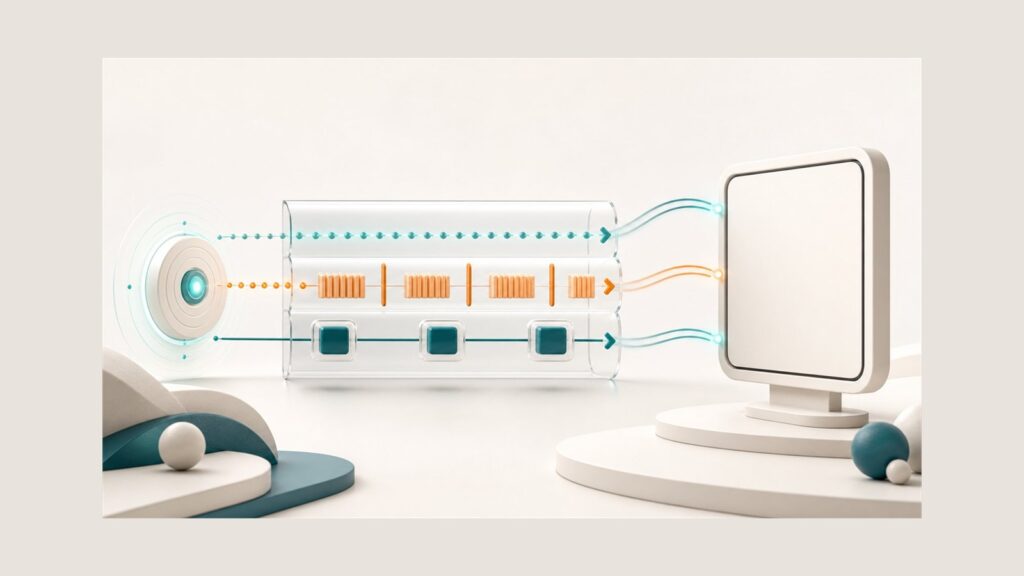
Data logger intervals should not be treated as one number for an entire monitoring system. Separate how often the sensor is read, how often a record is stored, and how often data reaches the dashboard, then derive each value from the change the system must reveal.
This is more useful than asking for an undefined “real-time” update. The term becomes testable only after the team specifies the event to capture, the acceptable response delay, and the evidence that must remain available in the logger and dashboard.
Start data logger intervals with the change you need to see
Do not begin with the seconds or minutes offered by a configuration menu. Begin with the decision supported by the data: must the system reveal a short event, a gradual trend, a threshold crossing, or only a periodic summary for review?
The USGS guidance for continuous water-quality monitoring treats parameters, monitoring period and duration, collection frequency, site conditions, and data-quality objectives as parts of monitoring design. The broader principle is useful beyond water quality: choose timing for the variation that must be characterized, not for the fastest value displayed by a device. A continuous record still consists of discrete measurements separated in time. See the USGS technical guidance for that design context.
Define the fastest change that still matters to the operational decision. Then define how much delay is acceptable before that change appears on the dashboard or supports a response. These are related but different requirements: the first shapes sensor acquisition, while the second also involves storage, communications, server processing, presentation, and notification.
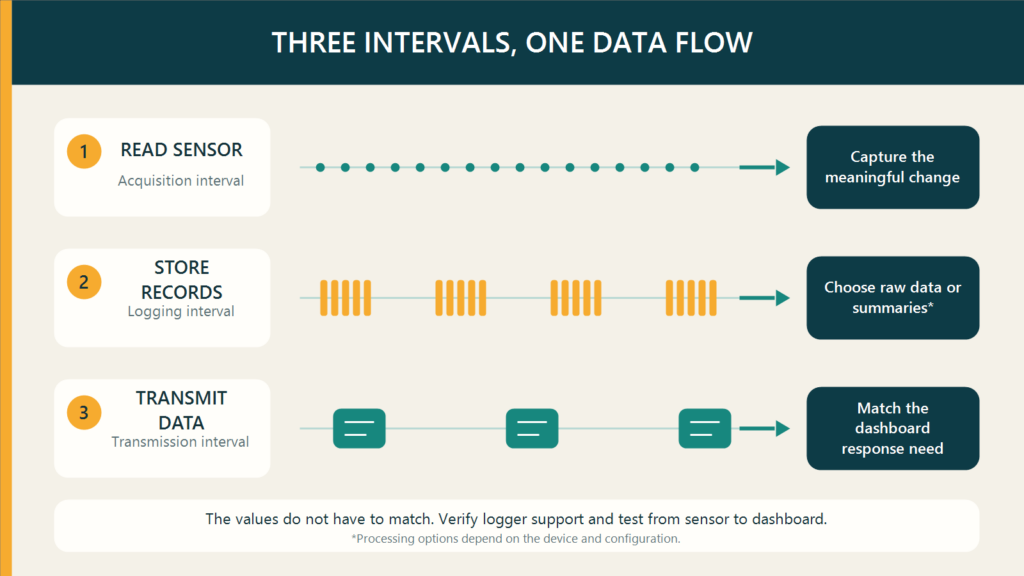
Separate the read, store, and transmit clocks
Products use different names, but three timing layers need to be separated before values are selected.
| Timing layer | Main question | Evidence to check |
|---|---|---|
| Reading or acquisition | How often does the logger obtain a sensor reading? | Can it capture the meaningful change? |
| Logging or storage | How often is a record committed? | Does the stored history support analysis and technical review? |
| Transmission or reporting | How often does data travel to the server or dashboard? | Does information arrive within the response requirement and network constraints? |
Campbell Scientific’s documentation provides one product-specific example that separates program execution from table storage. A NexSens technical note distinguishes sample, log, and transmission intervals in its documented implementation. Their processing rules are not universal, but the functional distinction prevents one setting from being copied into three different decisions.
The official GEOVOS 1000 Datalogger page verifies a relevant system context with RS485 sensor integration, 3G/4G connectivity, 8 GB storage, a monitoring dashboard, and WhatsApp and email notifications. It does not publish a minimum interval, aggregation options, or notification delay. GEOVOS timing therefore has to be confirmed from an approved manual, the intended configuration, and the actual project unit.
A shorter interval is not automatically a better measurement
A shorter acquisition interval can improve temporal resolution, making a brief change more likely to appear in the record. It does not automatically improve measurement accuracy. Accuracy remains connected to sensor characteristics, installation, calibration, response, filtering, interference, and data processing.
Review the sensor manual for response time and output-update behavior. Reading faster than the sensor can respond may produce many values with little new information. Reading too slowly relative to the event, however, can allow a peak or transition to occur between observations.
The interval is also a system decision. A CAS DataLoggers engineering article connects sample rate with sensor response, noise, memory, processing, power, and data management. The actual effect depends on the device and duty cycle, so a numeric setting from another system is not a transferable recommendation.
Decide what a stored record should contain
Not every reading must become a separate record. Depending on the implementation, a system may store raw readings, averages, minimum and maximum values, event records, or a combination. The logger’s support, processing rule, and timestamp behavior need to be verified before relying on any of those options.
NOAA’s Sampling Rates page documents different sample rates, sample periods, stored-data intervals, transmitted-data intervals, and timestamp conventions across parameters and platforms. Those schedules are not recommendations for another project. They show why one interval should not be copied across every parameter or timing layer.
Once the record structure is defined, check its effect on local capacity and retention. The separate guide to data logger storage explains why nominal capacity alone cannot determine how long records will survive a communications outage.
Set dashboard timing from the response requirement
The dashboard does not always need every raw reading at the moment the sensor is acquired. Where the implementation supports it, a logger can read more frequently, store the required result, and transmit on a schedule aligned with the urgency of the decision. Confirm that the selected device actually supports this separation before designing around it.
Specify who responds, what information they need, and the maximum acceptable delay. Notifications need their own timing criteria as well; the presence of WhatsApp or email channels does not prove a particular alarm delay. Network availability, power consumption, data volume, and backlog behavior also constrain the transmission schedule.
Bring these requirements into the monitoring site survey. Signal conditions, power, maintenance access, and the data path can change the appropriate configuration even when the sensor model is unchanged.
Prove the configuration with the event it must capture
A setting is not proven merely because the logger accepts it. Run an end-to-end test with a safe, controlled change that is relevant to the parameter.
- Define the expected change and when it should occur.
- Record the sensor model, configuration version, time zone, and read, store, and transmit intervals.
- Apply an approved controlled input or simulation without disrupting an active process.
- Compare timestamps and order across the sensor reading, logger record, server data, dashboard, and any notification in scope.
- Check whether the change is visible, whether a peak or transition disappears, and whether gaps, duplicates, or delays exceed the acceptance criteria.
- Repeat the test after changing the configuration, then preserve the passing settings and evidence.
This test does not produce a universal interval. It demonstrates whether the selected devices and configuration meet the project’s own monitoring requirement.
Bring seven inputs to the configuration review
Prepare these inputs before requesting a numeric recommendation:
- the parameter and the decision the data must support;
- the fastest meaningful change and acceptable response delay;
- the sensor model, manual, response time, filtering, and output behavior;
- the logger’s acquisition, processing, storage, and transmission capabilities;
- the record contents, history requirement, and local-retention target;
- the power, network, site, and maintenance constraints; and
- the dashboard, notification, and acceptance-test requirements.
Fortuna Argatech can review the sensor, data logger, connectivity, storage, dashboard, and test method as one system. When contacting the Fortuna Argatech team, include these seven inputs so the interval discussion remains traceable to the technical requirement rather than an unverified default value.
Share this article
Share this insight with your team.
Related Articles
Similar topics from the same category.

8 mandatory monitoring criteria for PROPER Blue rating under PermenLH 7/2025: SPARING, AQMS, B3, waste, peatland, mining, and SIMPEL audit.

Compare TDR and FDR soil moisture sensor principles, dielectric calibration limits for tropical peat, and multi-depth telemetry integration via GEOVOS 1000.

Permen LHK 14/2024 ties SPARING telemetry to daily administrative fines. Understand the formula, sensor risks, and edge validation defense.